
Overview
This article explains how to connect your SitePoints to the Kinsman SitePoint app as a base and rover, then complete the initialization process before beginning your project.
Before You Begin
Before you start, make sure:
Both SitePoints are powered on.
One SitePoint is mounted on a tripod, configured as a base, and has started its auto survey process
The second SitePoint is mounted on your survey pole and is ready to use as the rover.
Step-by-Step Instructions
Step 1 — Select Your Work Profile
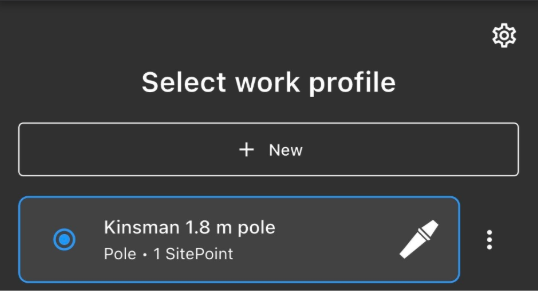
When you open the Kinsman SitePoint app, select the work profile you want to use.
Step 2 — Connect to your Rover
Select the SitePoint mounted on your survey pole to connect as your rover. 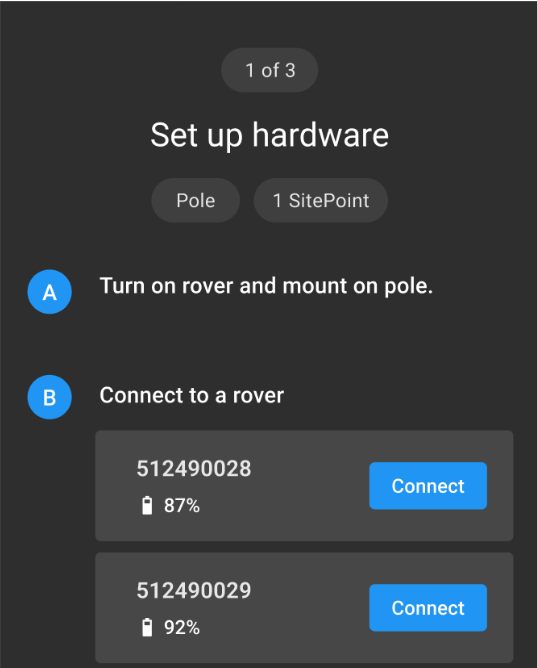
Step 3 — Connect your Base
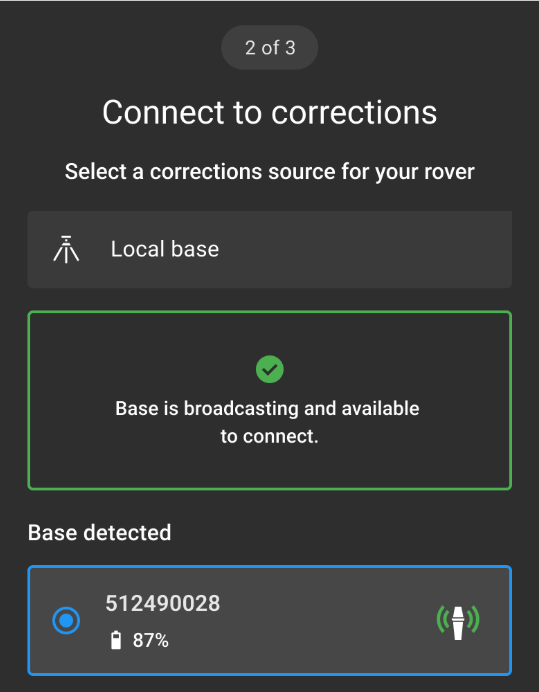
The app displays the available Base that is currently broadcasting and ready to connect. Because each jobsite should have only one active Base, you should typically see a single Base available for selection.
Step 4 — The Initialization Process
After connecting to your base, the Initialization screen appears.
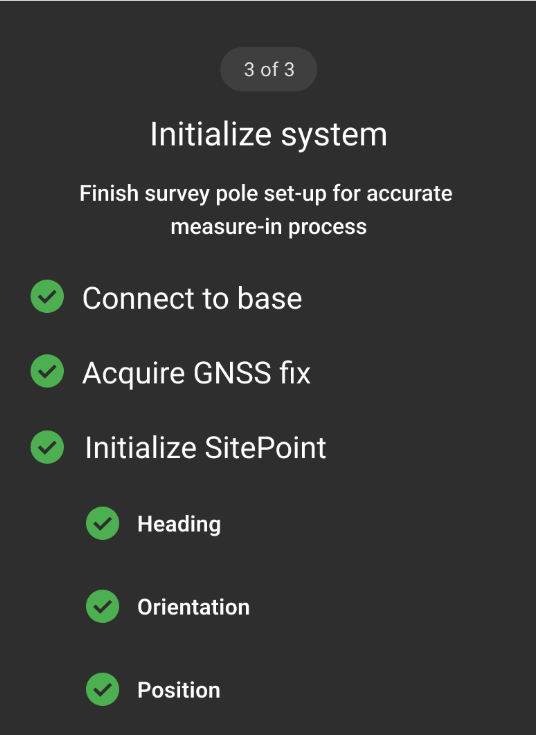
Wait until Connect to Base and Acquire GNSS Fix both display green check marks.
Next, move the survey pole in a circular motion. We refer to this as "stirring the pot." This movement activates the SitePoint's internal accelerometers, allowing the rover to complete the initialization process.
For best results, maintain a clear view of the sky while the rover initializes.
Expected Result
Once initialization is complete, your SitePoint system is ready to use. The next step is to select your project and begin working.
Troubleshooting
Was this article helpful?
That’s Great!
Thank you for your feedback
Sorry! We couldn't be helpful
Thank you for your feedback
Feedback sent
We appreciate your effort and will try to fix the article