
Overview
This article explains how to find the version of the Kinsman SitePoint app currently installed on your device.
Step-by-Step Instructions
Step 1 — Enter No Sensor Mode
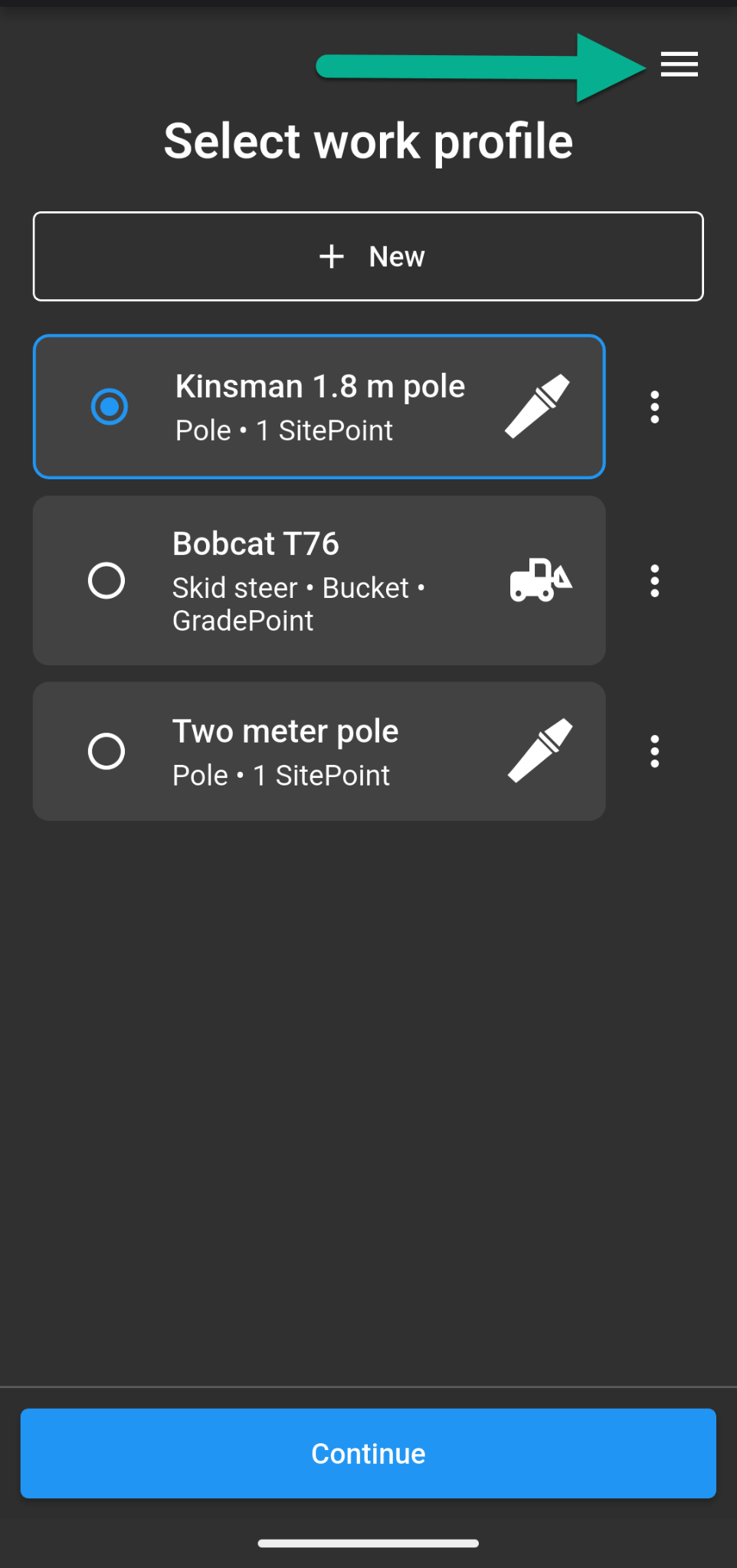
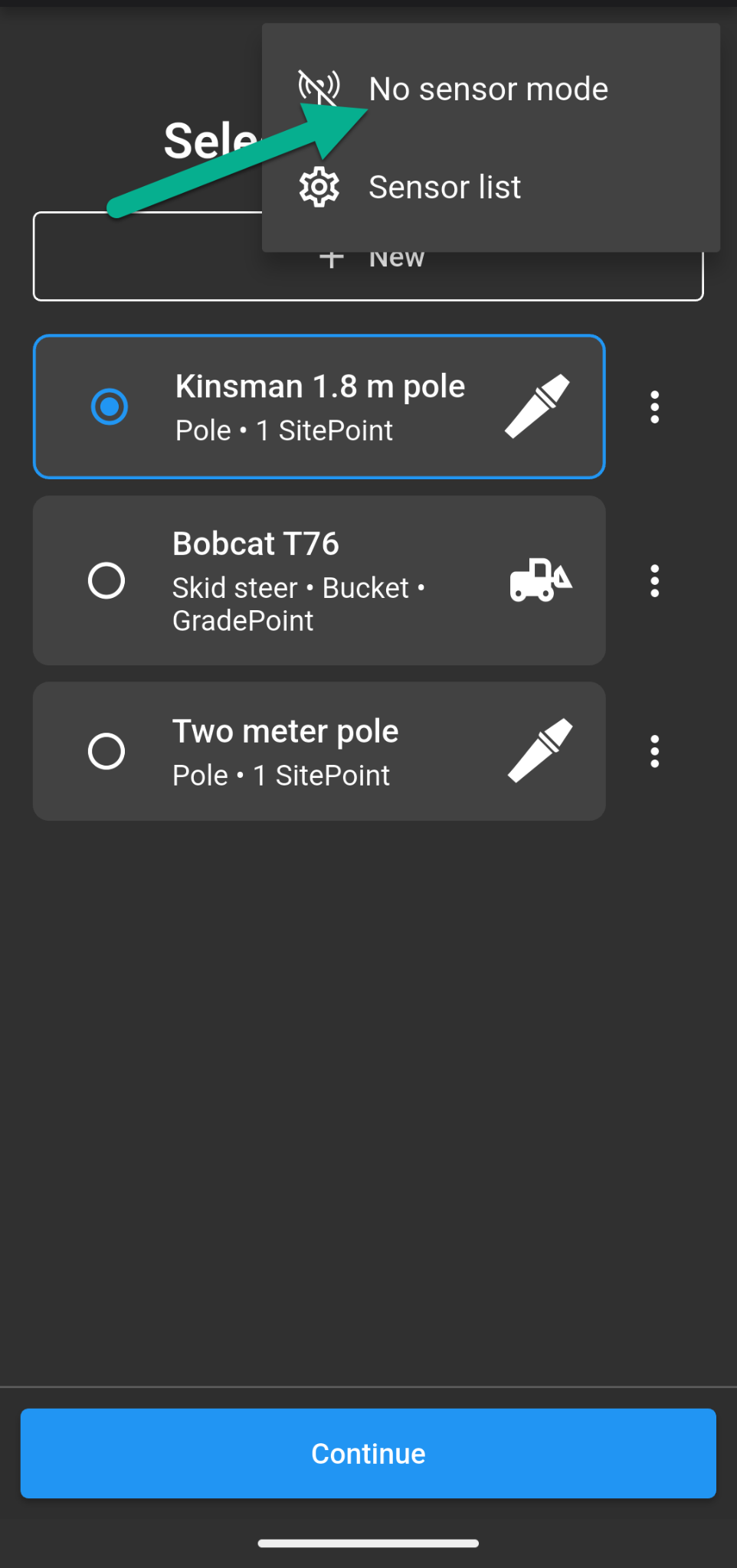
From the Work profile screen, tap the three-line menu in the top-right corner and select No Sensor Mode.
On the project selection screen, select any existing project.
Step 2 — Find Your App Version
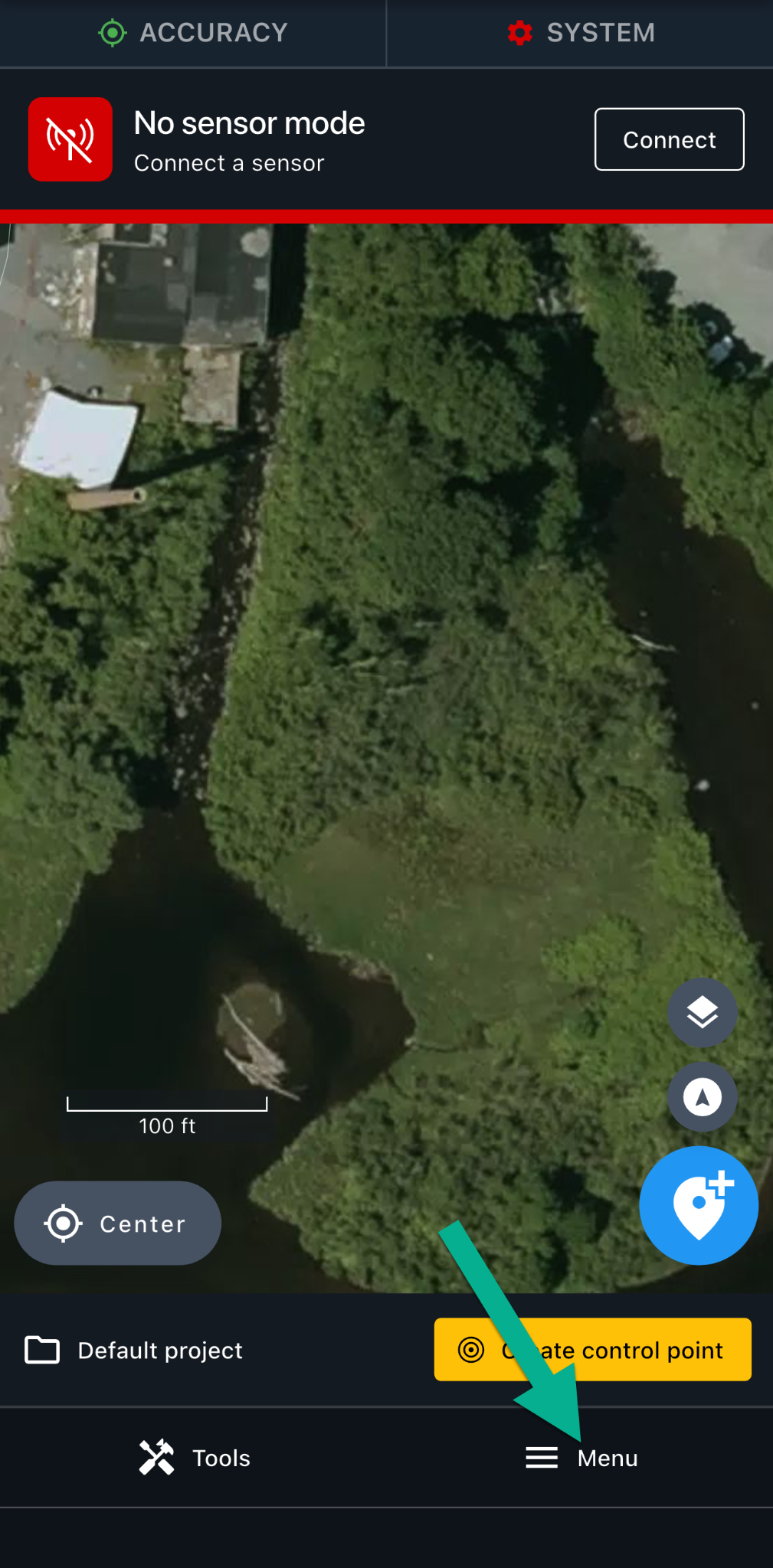
Once you've opened your project, tap Menu in the bottom-right corner of the map screen.
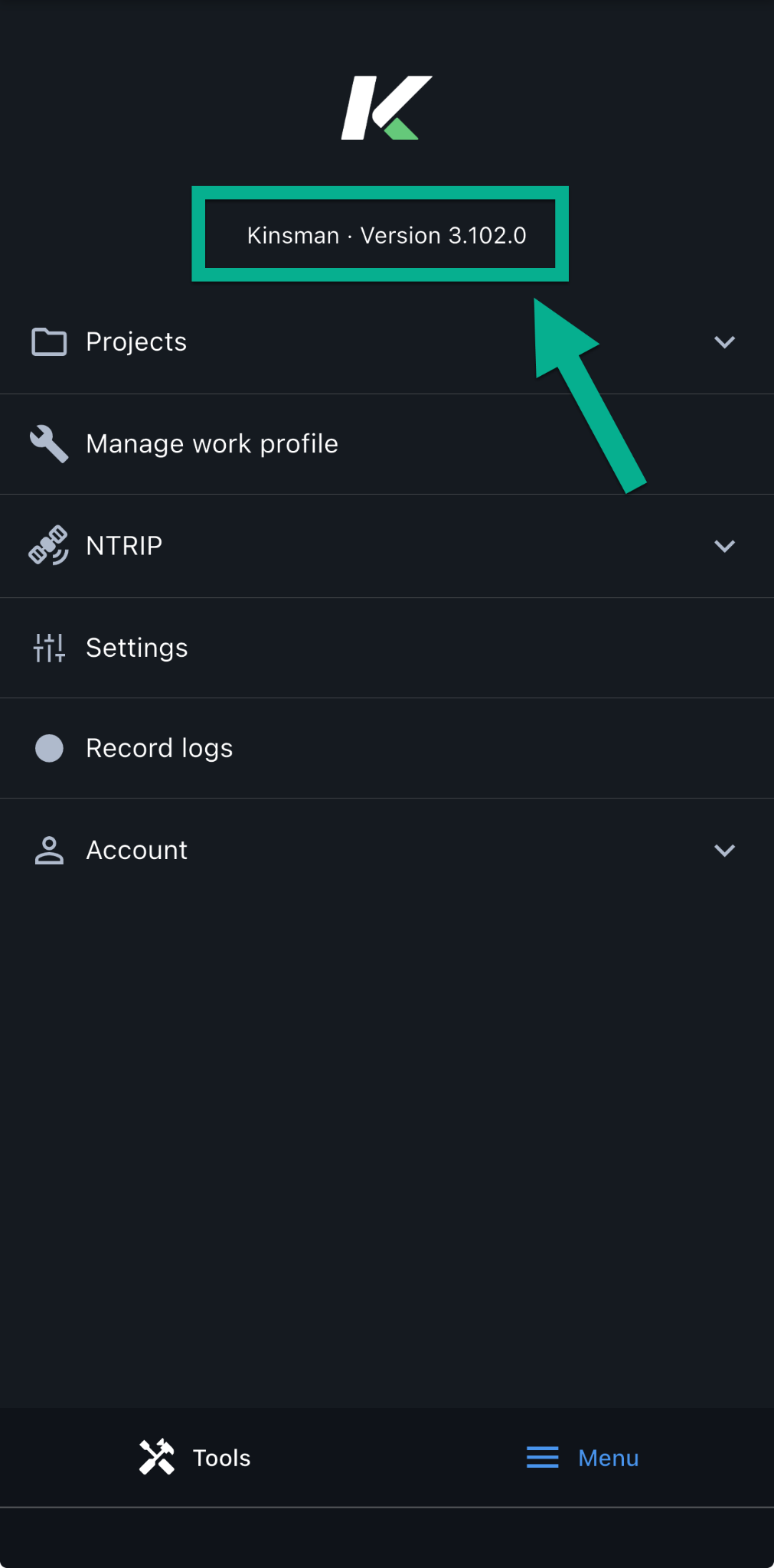
Your current app version number will be displayed in the menu, as highlighted in the screenshot below.
Was this article helpful?
That’s Great!
Thank you for your feedback
Sorry! We couldn't be helpful
Thank you for your feedback
Feedback sent
We appreciate your effort and will try to fix the article